![logo_2018_rgb_on-white.png]](https://support.pixeld.com.au/hs-fs/hubfs/logo_2018_rgb_on-white.png?height=40&name=logo_2018_rgb_on-white.png)
Flexible content is a way to create custom and dynamic content in WordPress. Using flexible content, editors can easily create and arrange different types of layouts (components), in a flexible way within pages and posts.
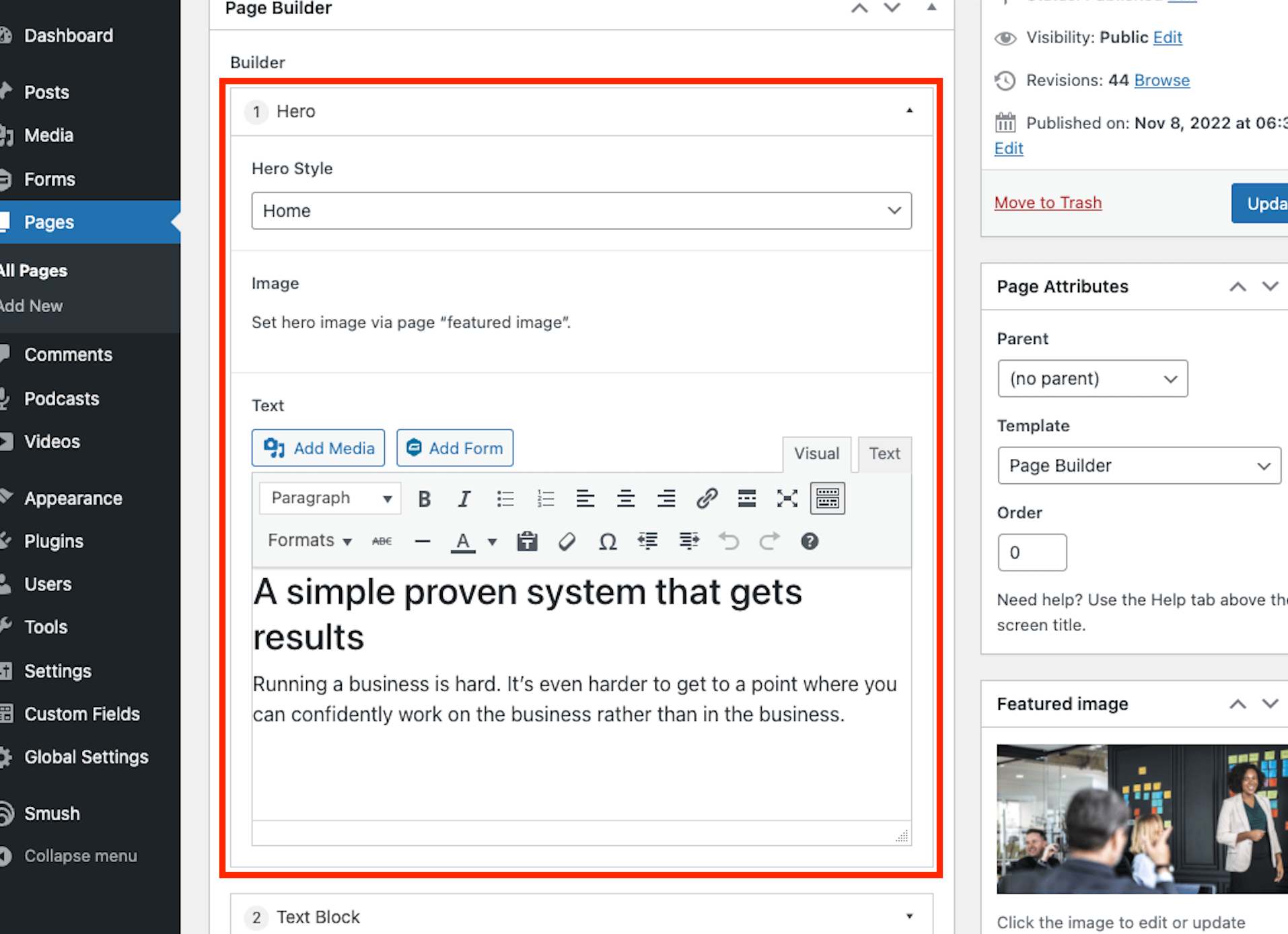
Adding components:
- From the WordPress dashboard, navigate to the Pages menu.
- Select the which page you which to edit by hovering over the title and clicking edit, or select "Add New" from the top of the page.
- On the right hand side of the screen in the Page Attributes panel select the Page Builder template.
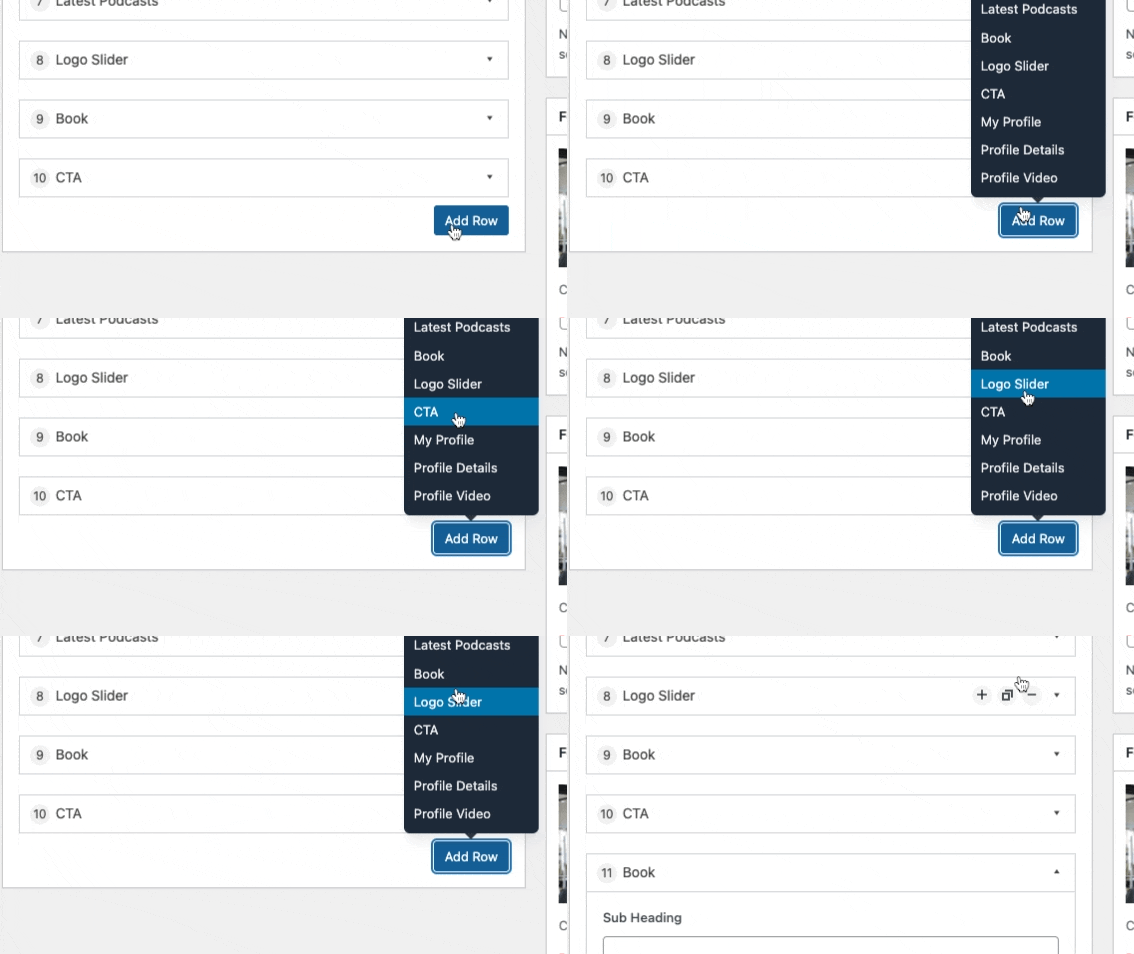
- To add a new page section select the Add Row button (labels may vary) in the Page Builder panel. This should display the available templates for adding to the page. (Tip: Most pages start with the "Hero" template.) See here for a list of commonly used blocks.
Arranging components:
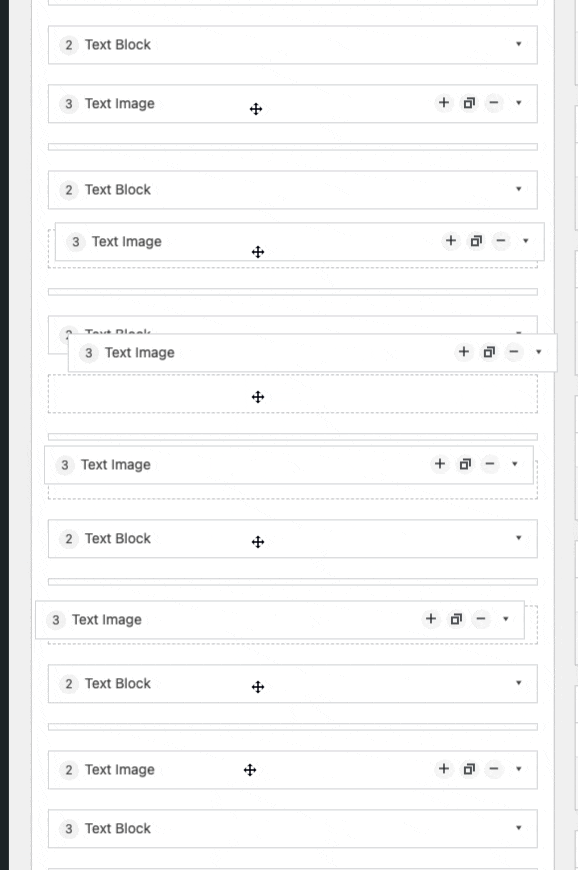
- To arrange flexible content, drag the layout holding on to the title bar of the added component.
- Once the layout is above or below the desired section the component can be dropped into place. (This works for repeaters too!)
- To preview the new arrangement scroll to the top of the edit screen and click Preview Changes in the Publish panel at the top of the page. This will allow you to see the changes you've made in a new tab without effecting the live version of the site.
- IMPORTANT: Once you are happy with the new arrangement click update or publish button at the top right hand side of the page editor to save your changes.